Audience
- Admins
- Support staff
Spaceman Portal and Shop Payments Custom Settings
You are able to turn the option to accept payments via Portal on or off. In order for Shop to work, payments must be enabled.
Go to:
Settings → Custom Settings → Page “SpacemanWeb Payments”
1. “Stripe Enabled Spaceman Shop” 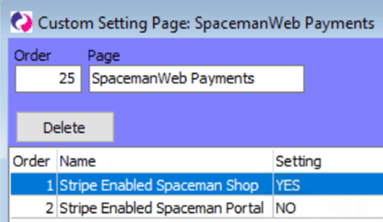
- Must be set to YES to enable Spaceman Shop.
2. “Stripe Enabled Spaceman Portal”
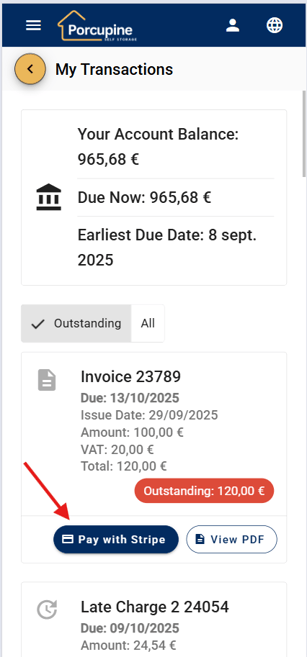
- When Set to YES, customers will have a button “Pay with Stripe” to pay for unpaid invoices on Spaceman Portal (as shown in the example image of the transactions page in Spaceman Portal).
- When set to NO, this button will not display, and customers will not have an option to pay directly on Spaceman Portal. (Spaceman Shop can still be enabled separately with setting “Stripe Enabled Spaceman Shop”)
By default, setting “Stripe Enabled Spaceman Portal” is set to NO