
Audience
- Admins
- Support staff
Spaceman Portal and Shop Themes
If logged into the Spaceman Ops as an Owner-level account, you will have access to the Theme tab, which allows you to change the colour scheme and icons used on Spaceman Portal and Spaceman Shop.
Theme Colours
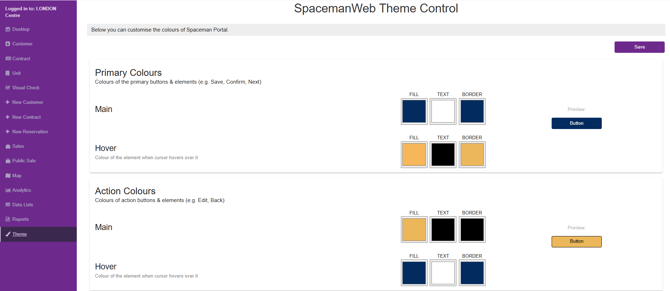
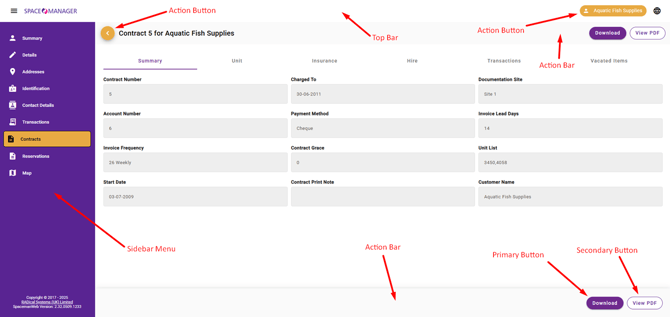
You are able to change the colours of the buttons, the top bar, the sidebar, the action bar, and the background.
Primary, Secondary, and Action are three colour types used across Spaceman Portal and Spaceman Shop.
For each theme group, you have controls including the following: Colour (sometimes Background Colour), Text Colour, Border Colour, Hover Colour, Hover Text Colour, Hover Border Colour.
- Hover colour is for when you have your cursor on top of a selectable element. It’s hover colour shows it is clickable.
Make sure to click the Save button at the top of the page once you are happy with your changes to the colours scheme. Otherwise your changes will be lost!
For each element, you have a preview button on the right side of the page. It will change with your selections.
Below is a screenshot of Spaceman Portal, pointing out in red all the colours that can be modified using this theme menu .
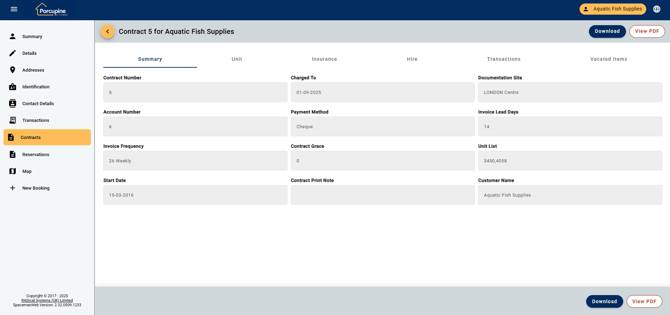
Below is the same page, but with our example “Porcupine” theme in place!
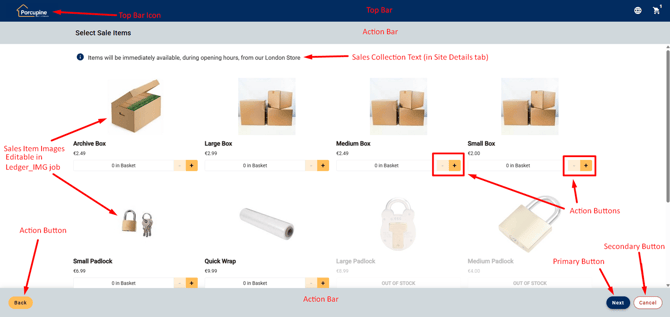
Spaceman Shop theme:
Theme Icons
From the theme menu, you are able to upload new icons to be used in Spaceman Portal and Spaceman Shop.
DO NOT upload icons without saving your colour changes with the Save button first. Uploading an Icon will “save” itself and refresh the page to load instantly.
The PNG format is preferred for websites, but you should be able to upload JPG/JPEG/SVC files and others too.
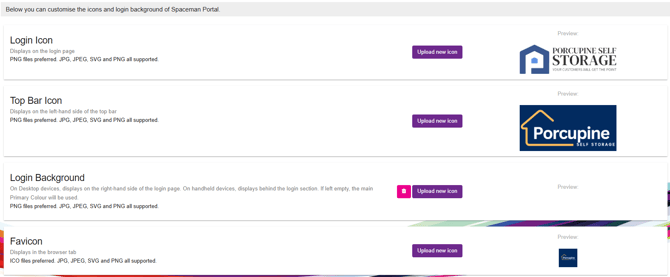
- Login Icon will show on the login page for the Spaceman Portal.
- Top Bar Icon will show in the Top Bar, top left of all Spaceman Portal and Shop pages.
- Login Background will fill the background of Spaceman Portal’s Login page. If empty, the background will be filled by the solid colour selected for the "Primary Colour” theme element. You can remove this image by clicking the trash bin icon button to the left of the upload new icon button.
- Favicon Icon will be the icon displayed in the browser tab of Spaceman Portal. ICO files are preferred here.